Beginner Guide & First Waves
Set up your first solo run or squad in New Squad, then read the wave counter, health bar and diamond balance as you fight.
Setting Up a Squad at Camp
Set up your first run in the New Squad panel in camp. The squad size buttons run from 1 to 4, so you can play solo or with up to three teammates.
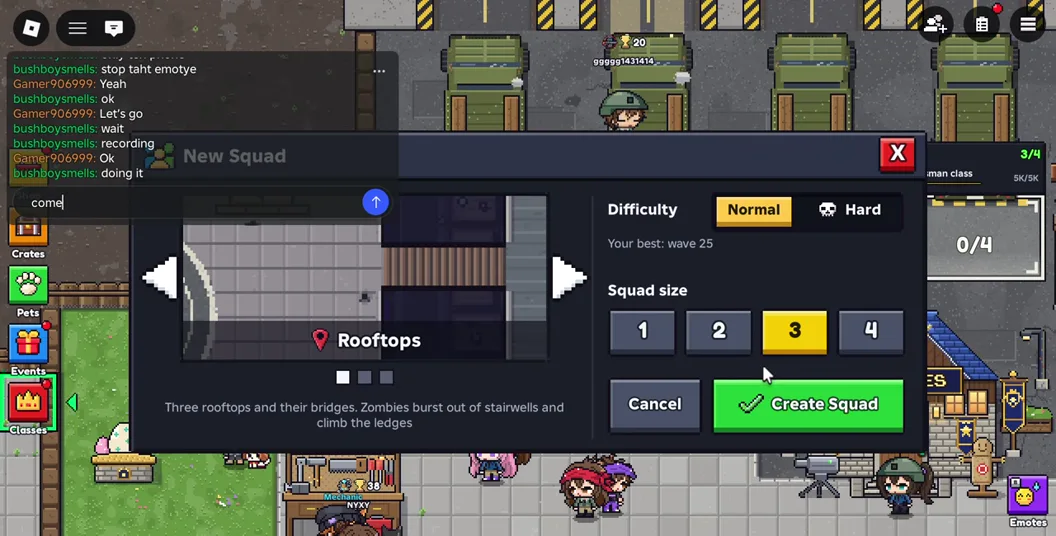
- Choose a map with the arrows on the map panel. Rooftops gives you a visible helipad and narrow connectors to practice around.
- Select Normal for your first attempt. Set the squad size to 1 for solo play or choose the number you plan to bring.
- Press Create Squad. If you are playing with friends, check that the intended players have joined before the group enters the run.
Reading the Wave One HUD and Managing Diamonds
When wave 1 starts, the wave counter sits at the top of the screen. Diamonds and the health bar are along the bottom. Check all three when the arena gives you room so you know what you can afford and whether you can stay to fight.
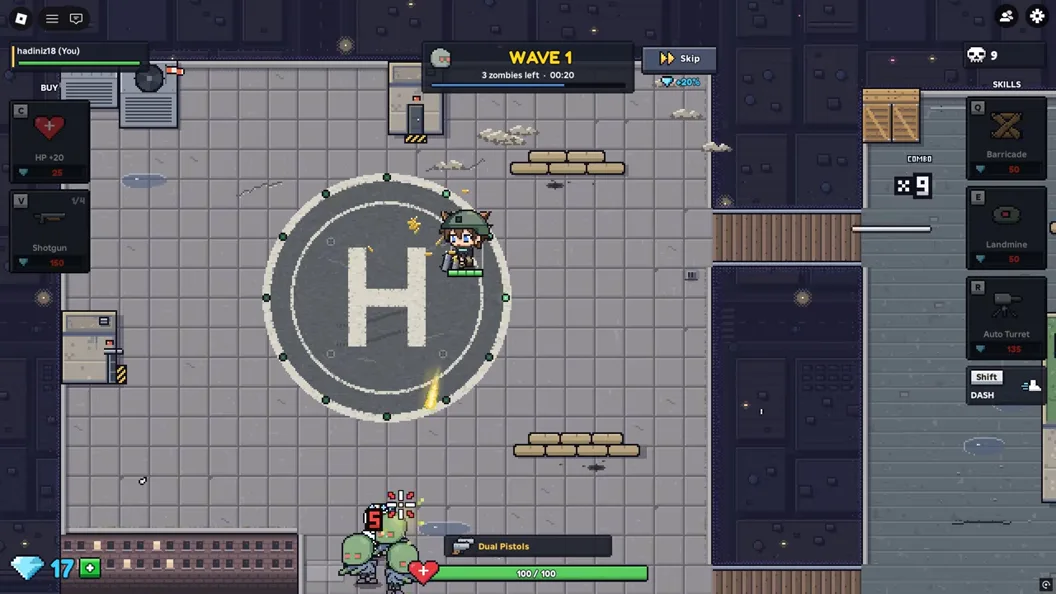
Keep an open route away from the crowd before reading a purchase panel. Between waves, or while teammates cover the lane, compare the cost of a stronger gun with a turret. If you are regularly trapped while checking the menu, make room before comparing another purchase.
Handling Last Stand and Returning to Camp
The recorded squad entered Last Stand when everyone went down. The screen showed a countdown, a waiting indicator and a Revive 1 Ticket button. The footage then showed Returning to camp.
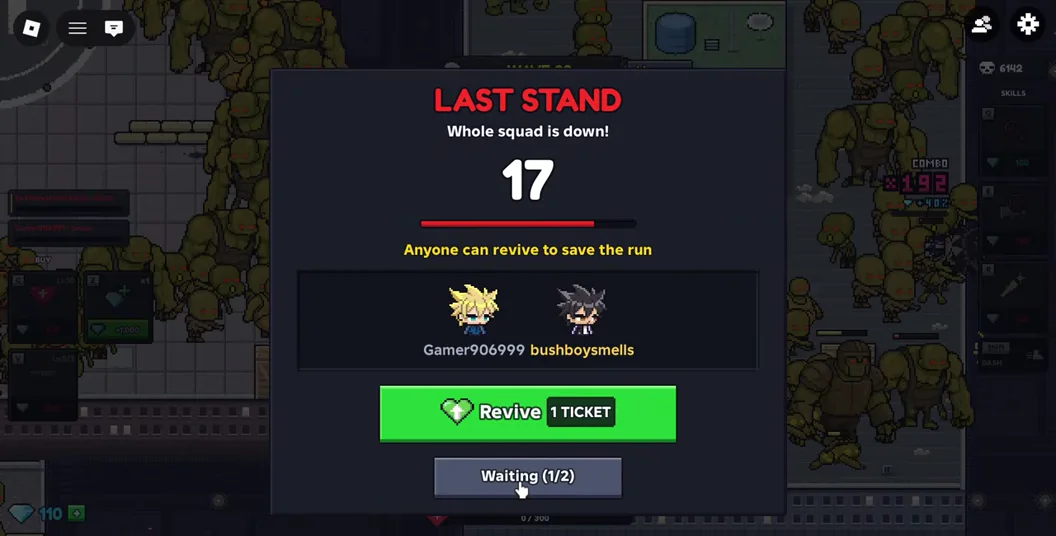
If the run ends, use the trip back to camp to change the thing that ended it. Check your camp upgrades if your damage fell behind. If zombies blocked your exits, choose a different route or agree on a retreat direction with your team before the next run.